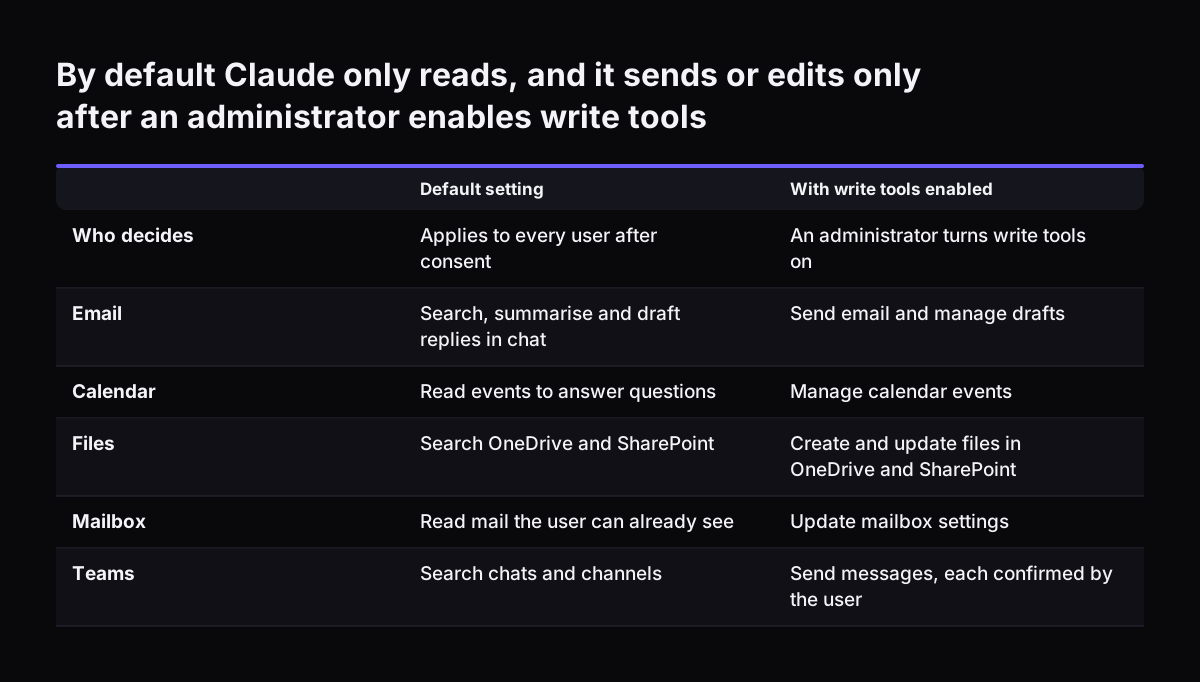
Claude in Microsoft 365 and Teams is Claude working with your Outlook mail, calendar, SharePoint and OneDrive files and Teams chats through Anthropic's Microsoft 365 connector. On its own, the connector searches, summarises and drafts. It does real work when Teams becomes the front end to the systems behind it, such as a help desk or a CRM.
The connector gives Claude your team's conversations and documents. It does not give Claude your ticket queue, your customer records or your prices. Those live in systems such as Zoho Desk or Zoho CRM. A request typed into Teams that ends as a chat reply leaves no ticket, no owner and no history.
This guide covers five things in order:
- what the connector reads and what it can change;
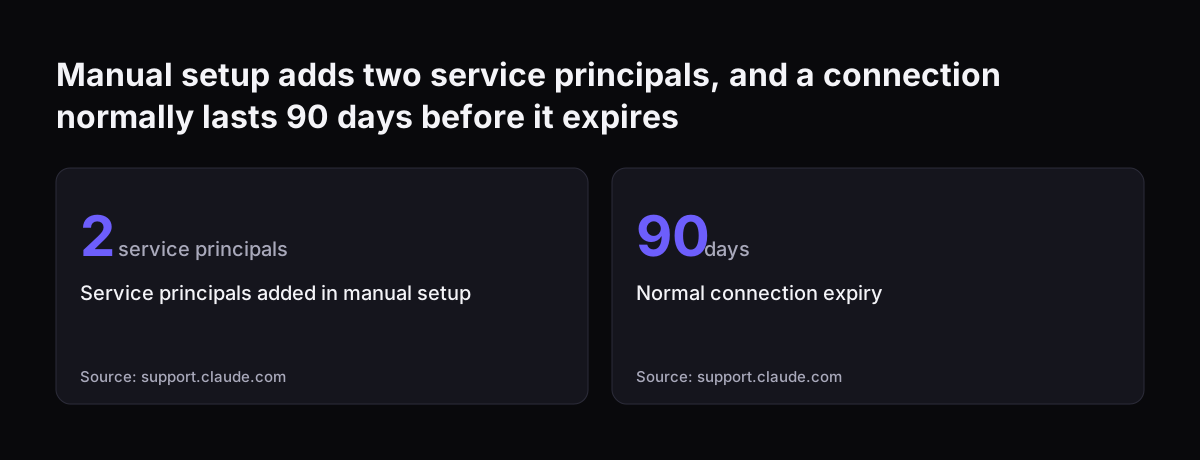
- what your Microsoft administrator has to set;
- a worked example you can follow;
- how to make Teams the front end to a help desk;
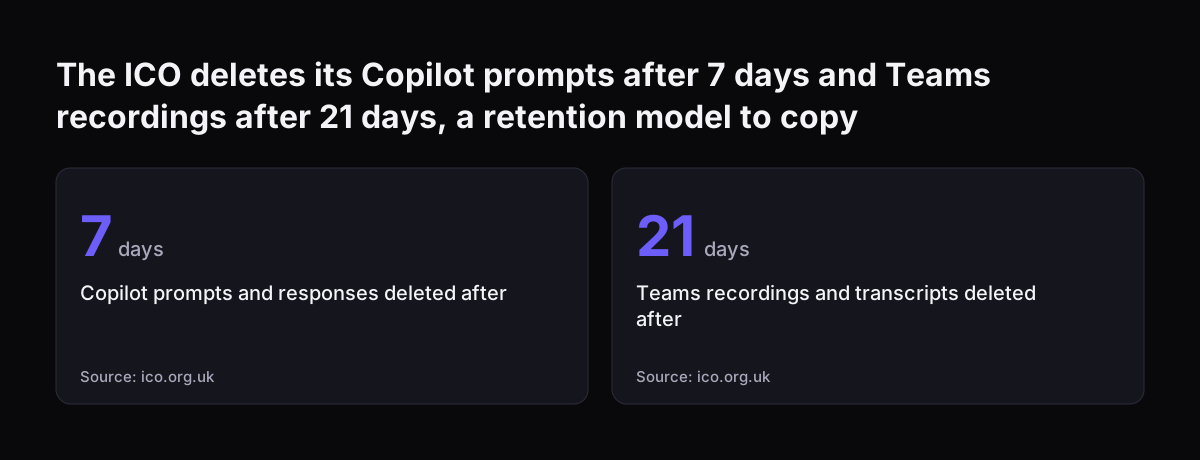
- what to leave alone, and what it means for a UK company.
The same principle runs through our guide to putting Claude inside the tools you already use: the assistant is only as useful as the systems it can reach.