SVENNISAI
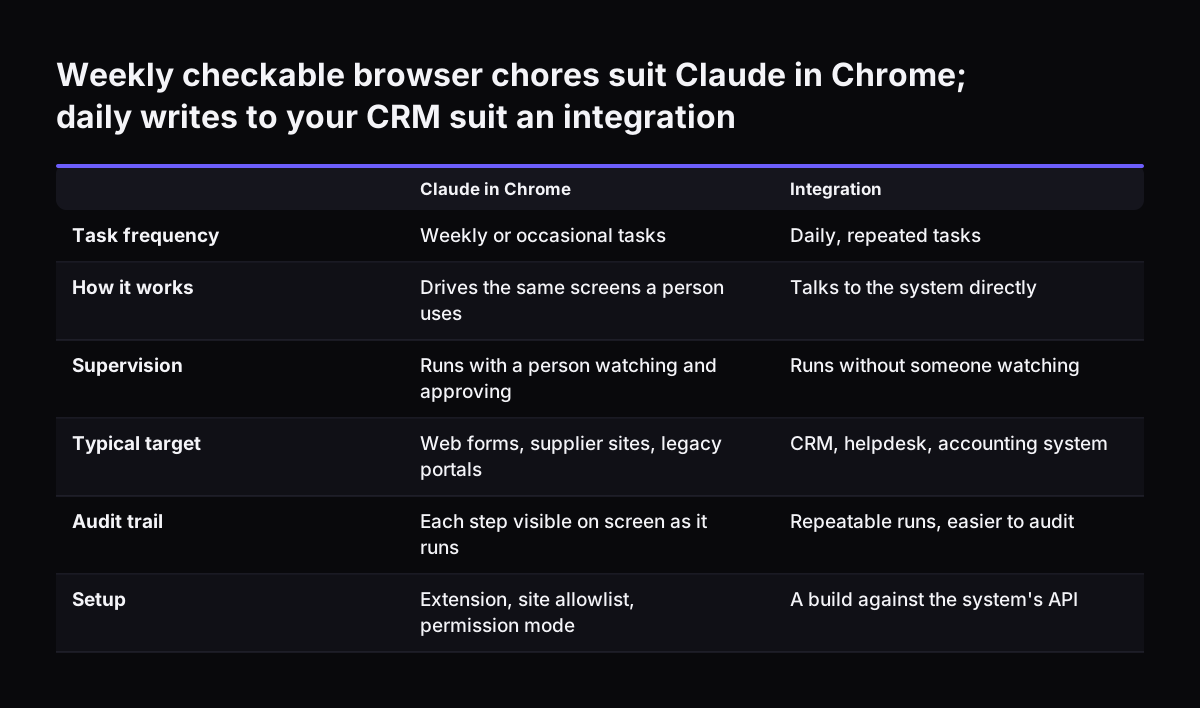
Claude in Chrome: browser tasks a team can delegate are the ones that are repetitive, visible on screen and easy to check. Good examples are filling web forms, gathering facts across several tabs and working through admin portals that have no integration. Work that writes to your CRM, helpdesk or accounting system every day is better served by a proper integration.
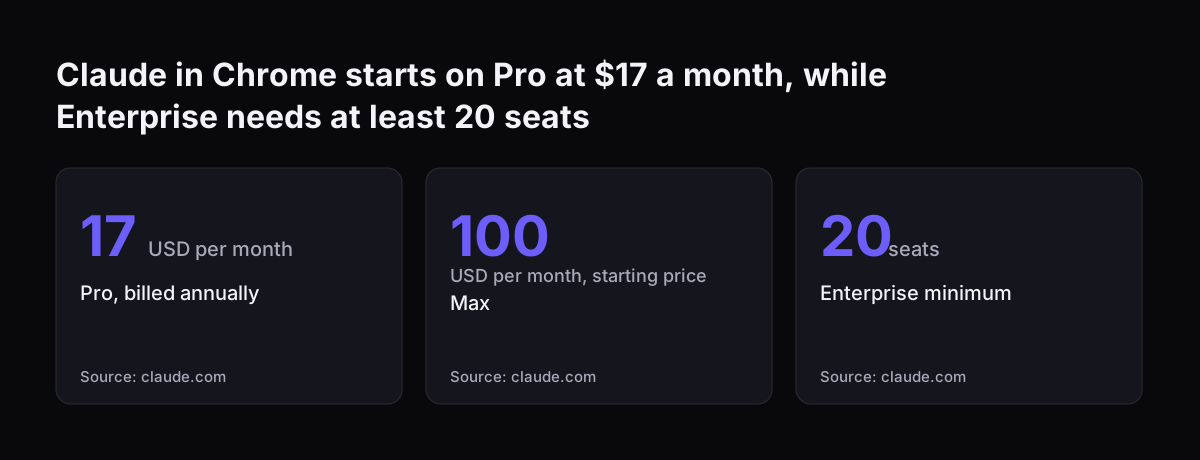
Claude in Chrome is Anthropic's browser extension that lets Claude read pages, click, type, fill forms and move between tabs using the logins you already have. In practice it does the clicking that a person would otherwise do, on the same screens.
This guide is written for the office manager who has to decide what goes to the extension and what stays with people. It covers:
- what the extension does and which plans include it
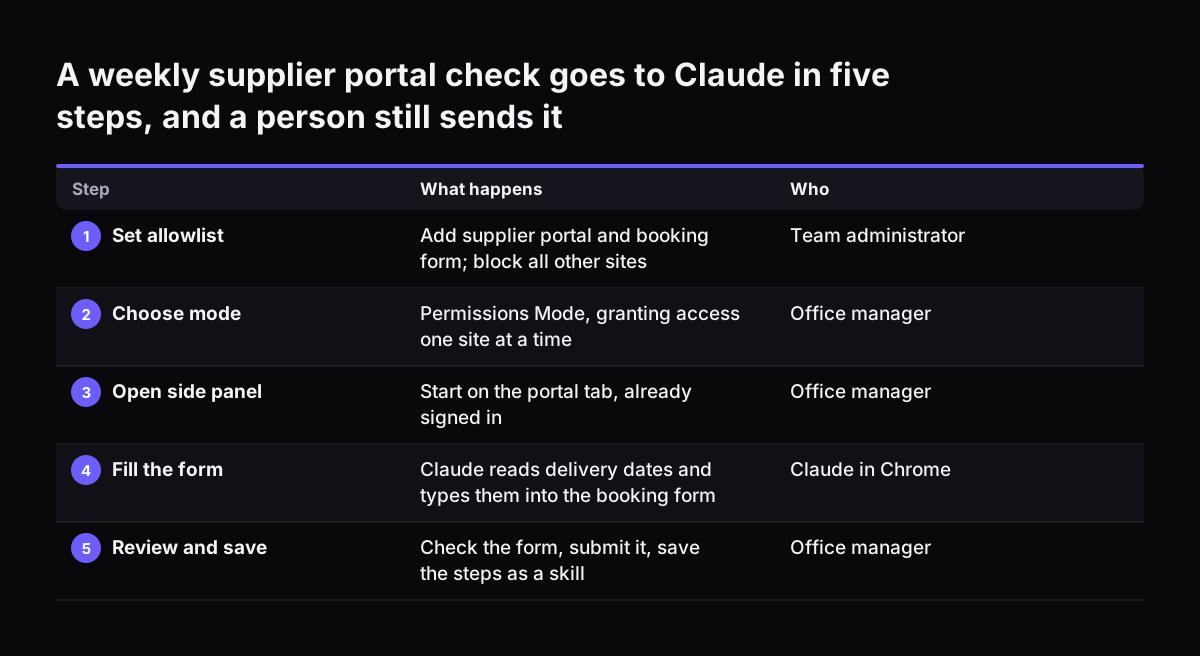
- which tasks suit it, with a worked example
- what must stay with a person
- the safety settings to decide before anyone starts
- when an integration beats the browser
If you want the admin console walkthrough and plan details in more depth, read our earlier post on Claude in Chrome plans, admin and safe use. This post focuses on the tasks themselves.