 SVENNISAI
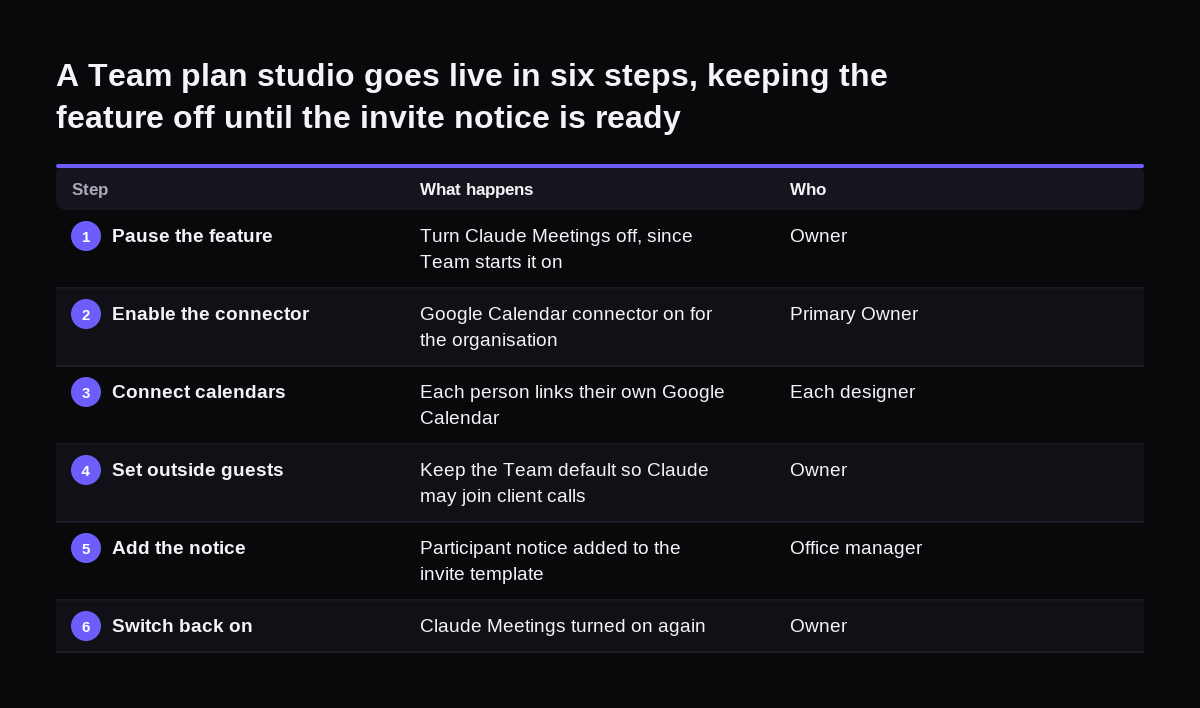
Setting up Claude Meetings on Google Meet with proper consent takes three moves. An owner enables the Google Calendar connector, each person connects their calendar, and you decide whether Claude may join calls with outside guests. Then you tell every participant before Claude joins. The feature is in beta and works on Google Meet only.
Claude Meetings is a beta feature that adds Claude to a Google Meet call as a visible participant. Claude takes notes, answers questions and builds artifacts live during the call. An artifact is a piece of work Claude produces, such as a doc, a whiteboard or slides. If you are new to the assistant itself, start with our plain guide to what Claude is.
This guide is for an owner or office manager who has to switch the feature on and answer for it. It covers:
- what Claude does inside a call;
- which plans and organisations can use it;
- the Google Calendar connector it depends on;
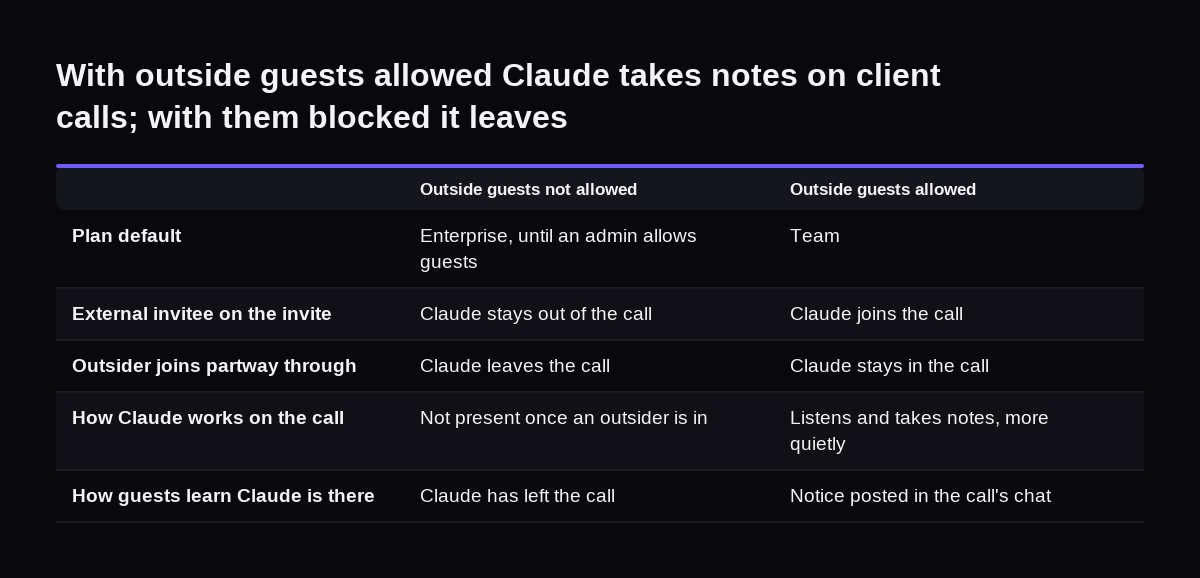
- the Team and Enterprise defaults and the outside-guest setting;
- what is saved and what is not;
- how to tell colleagues and clients before Claude joins.
Every product fact here comes from Anthropic's own pages. Because Claude Meetings is a beta, check the Use Claude Meetings article in the Claude Help Center on the day you switch it on.