 SVENNISAI

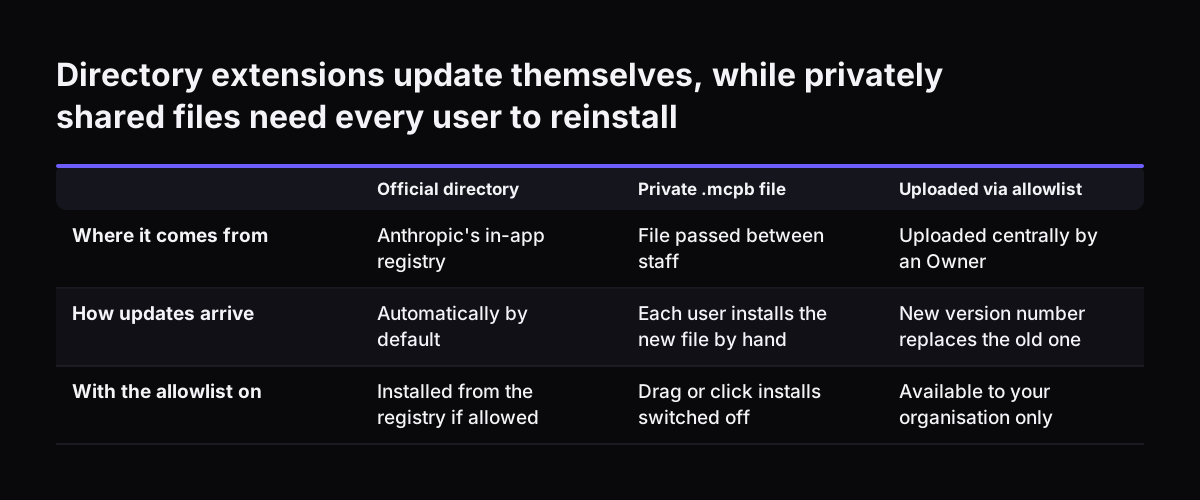
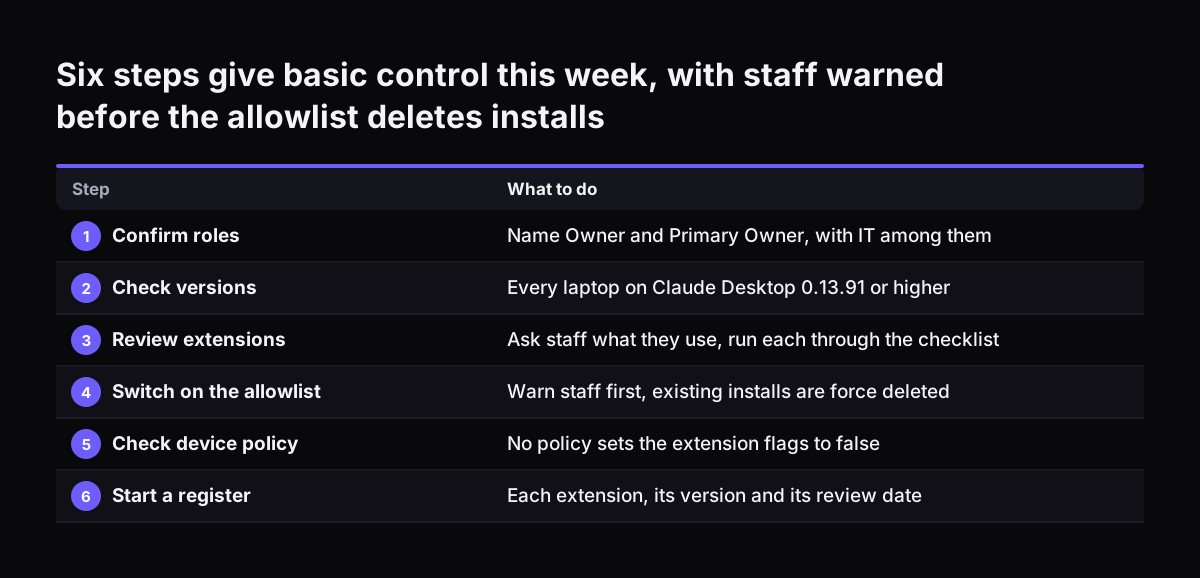
Approving Claude desktop extensions and local MCP servers starts with one setting. An Owner switches on the desktop extension allowlist, and you then allow only the extensions you have checked. Check each one on five points: source, permissions, data access, credentials and update control. Upload your own company extensions centrally rather than passing files around by email.
The allowlist is available to Owners and Primary Owners of Claude Team and Enterprise plans. It is off by default. Until an Owner turns it on, staff can install any desktop extension in the registry. Most companies that bought Claude seats therefore start with no control over desktop extensions at all.
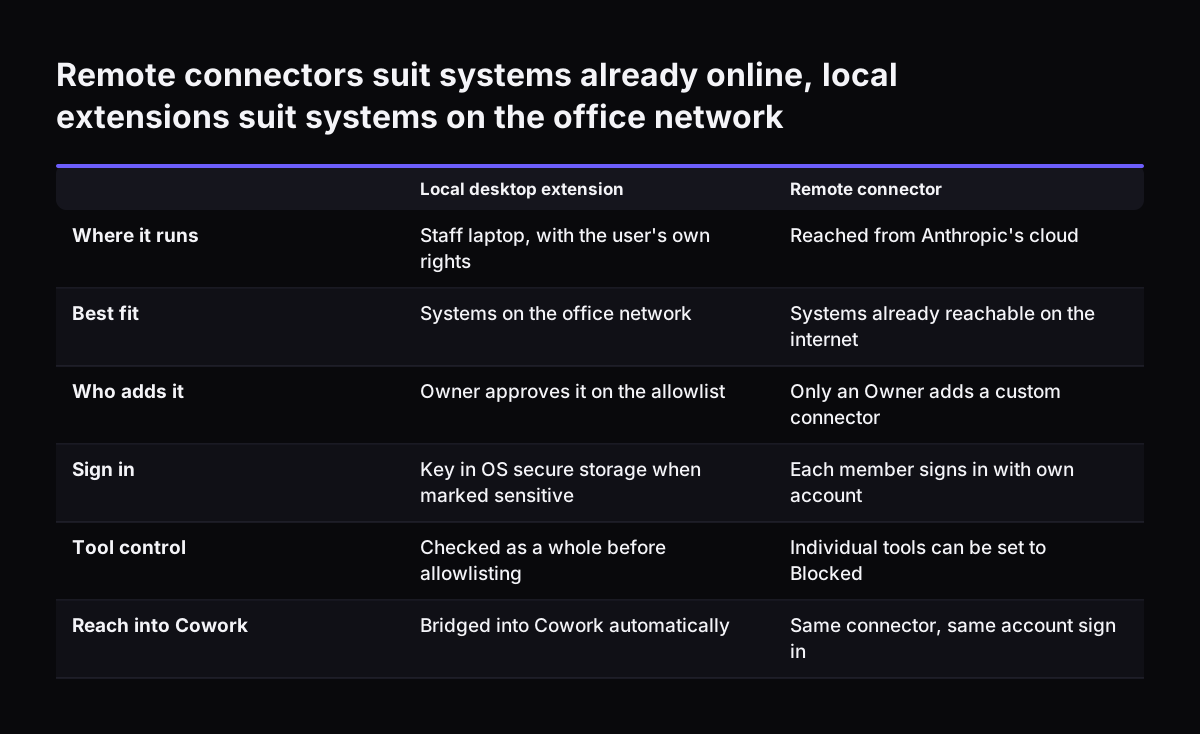
The allowlist governs what Claude Desktop installs. It does not stop someone editing files on their own laptop after installation. It also does not govern Claude Code, the terminal tool. This guide explains what these extensions can reach and how the allowlist works. It walks through uploading a company extension, gives you a checklist table, and sets out where the control stops.