
Skip to content
SVENNISAIWe speak Claude.
Blog · Claude

Handing support conversations from Claude to people without losing context

A Claude support assistant is only as good as its handover. Here is how to set the escalation triggers and pass the full context into the helpdesk ticket.

10 min read

Book a 30-minute call · with a Claude Certified Architect from our team.

Article · 10 min read
Abstract cover showing one flowing line passing smoothly into a second line without a break

Handing support conversations from Claude to people: the short answer

Handing support conversations from Claude to people works when you settle two things in advance. The first is the set of rules that tells Claude to stop and pass the conversation on. The second is the note Claude writes into the helpdesk ticket at that moment. Get both right and the customer never repeats themselves.

A handover is the point where Claude stops answering a customer and a named person takes over the same conversation. Everything Claude learned is already written down for that person. Claude is a family of large language models and a conversational assistant. Our plain guide to what Claude is covers the basics if you are new to it.

Most support assistants fail at the handover, not at the answers. The assistant answers routine questions well, then hits something it should not handle. The customer reaches a person who knows nothing and asks the same questions again. The goodwill the assistant earned disappears in one reply.

This guide covers the triggers that should start a handover, the fields a good handover note contains and how to design the escalation in a helpdesk such as Zoho Desk. It also includes a worked example, a note on model choice and what the setup means for a UK company.

Why customers repeat themselves after a handover from Claude

Customers repeat themselves because a chat with Claude is not a support record. The conversation lives in the assistant, while the agent works in the helpdesk. Unless something writes the context across, the agent starts from nothing.

Claude's own working memory is not a safe place to keep that context either. The context window is the model's working memory, and every message, reply and pasted file in a chat counts toward it. One explainer on how long Claude chats are compressed notes that when the window fills, the oldest part of the chat is compressed into a summary first. It also cites Anthropic's Claude Code documentation as saying that detailed instructions from early in a chat may be lost.

Claude's chat history and memory features do not solve the problem. When ExtremeTech covered the launch of chat history recall, it reported that Claude could search and summarise past conversations on request for Max, Team and Enterprise subscribers, and referenced previous chats only when explicitly prompted. Memory features and their default settings change, so check the current settings for your plan. Whatever they are, none of them is a support record an agent can work from.

Account closure is the final reason. A G-Cloud listing for Claude states that Anthropic does not retain user prompts or outputs after account closure. The record of what a customer said therefore has to sit in your helpdesk, written at the moment of handover.

When Claude should pass a support conversation to a person

Claude should pass a support conversation to a person when the customer asks for one, when the conversation carries risk, or when Claude is unsure of its answer. Each of those conditions can be written down as a rule before the assistant goes live.

A public workflow template from n8n shows what such rules look like in practice. Its Claude reply and auto-escalation template escalates a message to human review by default when any of these is true:

  • the sentiment of the message is negative;
  • the message matches a word on the RISK_WORDS list;
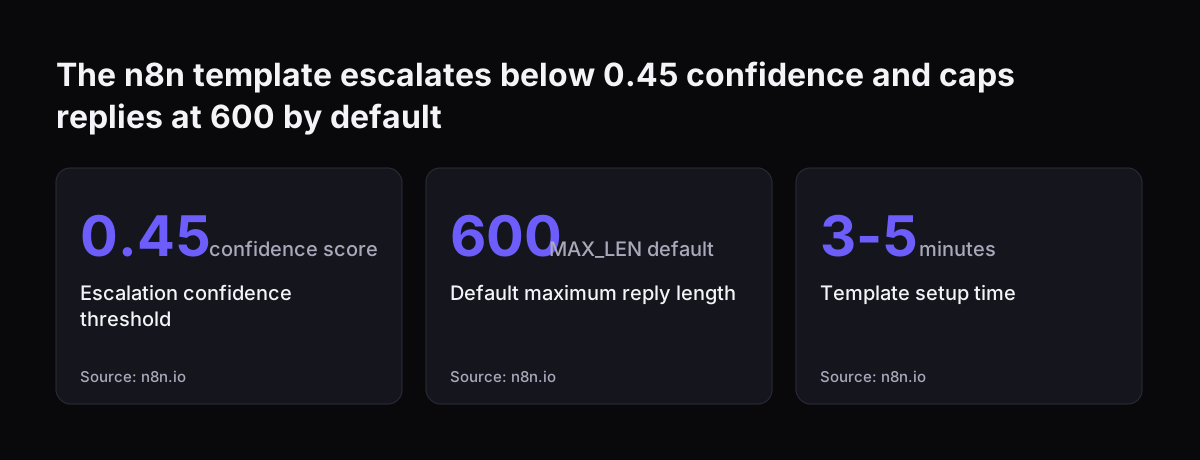
  • the confidence score is below 0.45;
  • the message mentions legal, harassment or self-harm context.

RISK_WORDS is a configurable list of words, such as refund, lawsuit or self-harm, that send a message to a person when matched. A confidence score is the number the model returns to say how sure it is of its own reply. Messages that mention self-harm trigger immediate escalation in the template, insert approved resources and are never sent automatically.

Two business rules belong alongside those signals. Hand over at once when the customer asks for a person, because a second attempt only irritates them. Hand over when the request needs authority Claude does not have, such as a refund or an exception to policy.

Handover triggers compared: signal, threshold and what happens next

Handover triggers differ in how Claude detects them and in what should follow. The table sets the common triggers side by side. The thresholds marked as defaults come from the n8n template described above; the others are design choices you make for your own queue.

TriggerHow Claude detects itWhat happens next
Customer asks for a personExplicit request in the messageHand over at once, with no further attempt to answer
Negative sentimentSentiment classed as negative (template default)Hand over, with the customer's tone recorded in the note
Risk wordMessage matches RISK_WORDS, for example refund or lawsuitHand over to the team that owns that topic
Low confidenceConfidence below 0.45 (template default)Claude's reply is held as a draft for a person to check
Legal or harassment contextMention of legal or harassment context (template default)Hand over; Claude sends no answer of its own
Self-harmMention of self-harm (template default)Immediate escalation with approved resources; never sent automatically
Outside Claude's authorityRequest for a refund, credit or policy exceptionHand over to the person who can approve it

Start with strict rules and loosen them only after testing. A handover that was not needed costs an agent a minute. A missed handover can cost you the customer.

What a handover note must contain so the customer never repeats themselves

A handover note is the short summary Claude writes into the helpdesk ticket when it passes the conversation on. Its job is to let the agent reply without asking the customer anything Claude already knows. A good note answers, in order:

  • Who the customer is, matched to their record in Zoho CRM or your customer database.
  • What they want, in one sentence, with their own key words quoted.
  • What Claude already checked, such as the order, the product or the account status.
  • What Claude already told them, so the agent does not contradict it.
  • Why Claude handed over, naming the trigger from your rules.
  • The customer's tone, for example calm, frustrated or anxious.
  • What the customer was promised, such as a reply from a person today.
  • A suggested next step, or a draft reply the agent can edit.

Keep the note short and put the full transcript underneath it on the same ticket. The agent reads the note in seconds and opens the transcript only when something is unclear. Write the note at the moment of handover, from the full conversation, rather than from a summary of a summary.

Fix the order of the fields and keep it the same on every ticket. Agents then learn where to look, and you can check notes for missing fields at a glance.

Designing the escalation in Zoho Desk so the context travels with the ticket

The escalation in Zoho Desk works best when the ticket is the single record of the conversation. Claude does not hand the customer to a person directly. It hands over a ticket that already holds everything the person needs.

The flow has five steps:

  1. A trigger from your rules fires during the conversation.
  2. Claude creates the ticket, or updates the open one, for that customer.
  3. Claude writes the handover note and attaches the full transcript.
  4. Claude records the trigger and routes the ticket to the team that owns the topic.
  5. Claude tells the customer that a person will reply, and roughly what happens next.

Claude needs a connection to Zoho Desk to do steps two to four. Anthropic's G-Cloud listing states that Claude supports all Model Context Protocol (MCP) integrations as standard. MCP is an open way for Claude to call another program's functions, and an MCP server is the small service that exposes those functions. For each connection Svennis builds a connector, an MCP server, a plugin or a skill. We show you the options with their cost, and you choose.

Routing matters as much as the note. A complete note sent to the wrong team still makes the customer wait. Our post on Claude in Slack for internal support and ticket routing covers the routing side in more depth.

Worked example: a refund request that Claude hands to a person

A refund request shows the whole handover in one pass. The example follows the n8n template's own steps and settings, then adds the Zoho Desk step from your design.

  1. A customer writes that they were charged twice and want a refund.
  2. The template's AI Agent (Empathy) step returns five values: sentiment, tone, reply, confidence and needs_handover.
  3. The word refund is on the RISK_WORDS list, so the message meets an escalation rule and needs_handover is set to true.
  4. The Post-Process and Sanitize step removes URLs and hashtags, masks personal data and caps the length at MAX_LEN, which defaults to 600.
  5. The Routing step flags the reply to Needs Review instead of sending it.
  6. Your added step writes the handover note and transcript into the Zoho Desk ticket and routes it to the billing team.
  7. The billing agent reads the note, checks the duplicate charge and replies without asking the customer to explain again.

The template's settings are worth knowing before you copy it. You connect an Anthropic credential to the Anthropic Chat Model node, and the template uses n8n Credentials rather than API keys written into the workflow. FORMALITY sets the reply tone to auto, casual or polite. The template works on self-hosted or cloud n8n, and its setup instructions take 3 to 5 minutes.

Change RISK_WORDS first. The defaults are a starting point, and your own list should name the topics your team never wants answered automatically.

The n8n template escalates below 0.45 confidence and caps replies at 600 by default: Escalation confidence threshold 0.45 confidence score, Default maximum reply length 600 MAX_LEN default, Template setup time 3-5 minutes
Source: n8n.io

Which Claude model to use for the handover decision and the note

The handover decision and the handover note are different jobs, and they can run on different models. Deciding whether to hand over is classification. Writing a reply for a frustrated customer is harder work.

Anthropic's models overview positions Claude Haiku 5.5 for high-volume, latency-sensitive tasks such as classification, extraction and routing. It is priced from $0.10 per million input tokens and from $0.50 per million output tokens. The same page says that if you are unsure which model to use, start with Claude Opus 5.5 for most workloads. Opus 5.5 costs $4 per million input tokens and $20 per million output tokens.

Long conversations are not a constraint on the note. All four current models have a 1M-token context window and a maximum output of 128K tokens. A support transcript fits comfortably, so Claude can write the note from the whole conversation.

A sensible pattern is to test the decision on the smaller model and keep the larger one for drafting replies. Measure both against real conversations before you commit. Our Claude pricing guide for UK companies sets out the plans and API costs in pounds.

What a Claude support handover means for a UK company

For a UK company, the main point is that your helpdesk, not Claude, should hold the customer record. The G-Cloud listings for Claude describe storage and processing locations differently. Anthropic's own G-Cloud 15 listing names the United Kingdom, the European Economic Area and other locations, and says users control them, while a reseller listing says users have no control over those locations. Check where your plan processes data, and ask your data protection lead how UK data protection rules apply before customer conversations flow to Anthropic.

Retention rules strengthen the case for writing everything into the ticket. Anthropic's G-Cloud 15 listing says its Data Processing Addendum provides for deletion of customer data within 30 days of the contract ending, unless the law requires it to be kept. Check the addendum that applies to your plan. A separate reseller listing advises buyers to export any required data before the service ends. A handover note in Zoho Desk survives a change of AI supplier; a chat history does not.

Keep the note to what the agent needs. The n8n template masks personal data before a reply goes out, and the same discipline suits the note. Record the order number and the problem, not every detail the customer happened to share.

Sensitive conversations need a person by design. Anthropic's Acceptable Use Policy restricts certain high-risk applications, according to a G-Cloud reseller listing. Routing self-harm, legal and harassment messages straight to a trained person is a sensible part of staying within it, so read the policy against your own use.

Testing a Claude handover before customers see it

Test a Claude handover by running it on drafts that a person reviews before anything reaches a customer. The n8n template gives the same advice: treat outputs as drafts and ship them after human or policy review.

A useful test plan checks three things:

  • Every trigger fires. Send test messages for each row of your trigger table and confirm each one creates a ticket.
  • Every note is complete. Check each note against your fixed list of fields.
  • The agent never has to ask. Give the ticket to an agent and see whether they can reply from the note alone.

The third check is the one that matters most. At Svennis we hand each test ticket to an agent and ask them to reply using only the handover note; any question they still need to put to the customer marks a field the note is missing. We add that field to the note and run the test again until the agent stops asking.

Keep reviewing a sample of real handovers after go-live. Customers raise topics your tests did not cover, and your RISK_WORDS list should grow as they do.

Next steps for setting up a Claude support handover

The next step is to write down your handover rules and note fields before you build anything. Both fit on one page, and both decide whether the assistant helps or annoys your customers.

  1. List the topics your team never wants answered automatically. They become your RISK_WORDS.
  2. Copy the trigger table above and set a threshold and an action for each row.
  3. Fix the fields and order of your handover note.
  4. Choose one queue in Zoho Desk to start with, such as billing.
  5. Run the drafts past your agents until they can reply from the note alone.

If you want help, Svennis works in four steps. A Workshop maps the process and the rules. Pilot Claude A puts an AI agent on Claude to work on one process, such as support handover, while Pilot Claude B gives the whole team Claude Team. The department Activation follows, then monthly operations.

Our page on AI customer service for UK companies shows how a support assistant fits together end to end. For the wider picture of plans and first steps, read the guide to Claude for business and how to start.

Sources

  1. n8n: Generate empathetic customer replies with Claude AI and auto-escalation
  2. Anthropic: Models overview, Claude Platform Docs
  3. Digital Marketplace: Anthropic Frontier AI, Claude (Anthropic Ireland Limited, G-Cloud 15)
  4. Digital Marketplace: Anthropic (Claude) reseller listing
  5. ExtremeTech: Anthropic brings on-demand chat history recall to Claude
  6. theai.md on Instagram: how Claude compresses long chats
Free, 30 minutes

Pick a time. Bring the process this article made you think of.

You leave with a clear yes or no on putting Claude on it, and the step that fits from our published prices. You speak to someone who builds the agents, not a salesperson.

Prefer to call? +44 7588 772736 · Not ready to talk? See it on your business first.

30 minutes · video call · free
  1. 1Time
  2. 2Details
  3. 3Booked